


 EN
EN NL
NL عربي
عربيHow to use Jobs in the Taaly app, step by step
Jobs shows real vacancies from employers who are open to newcomers, with the ones near you first. This tutorial walks you through your first application, screen by screen.
Step 1: open Jobs in your Feed
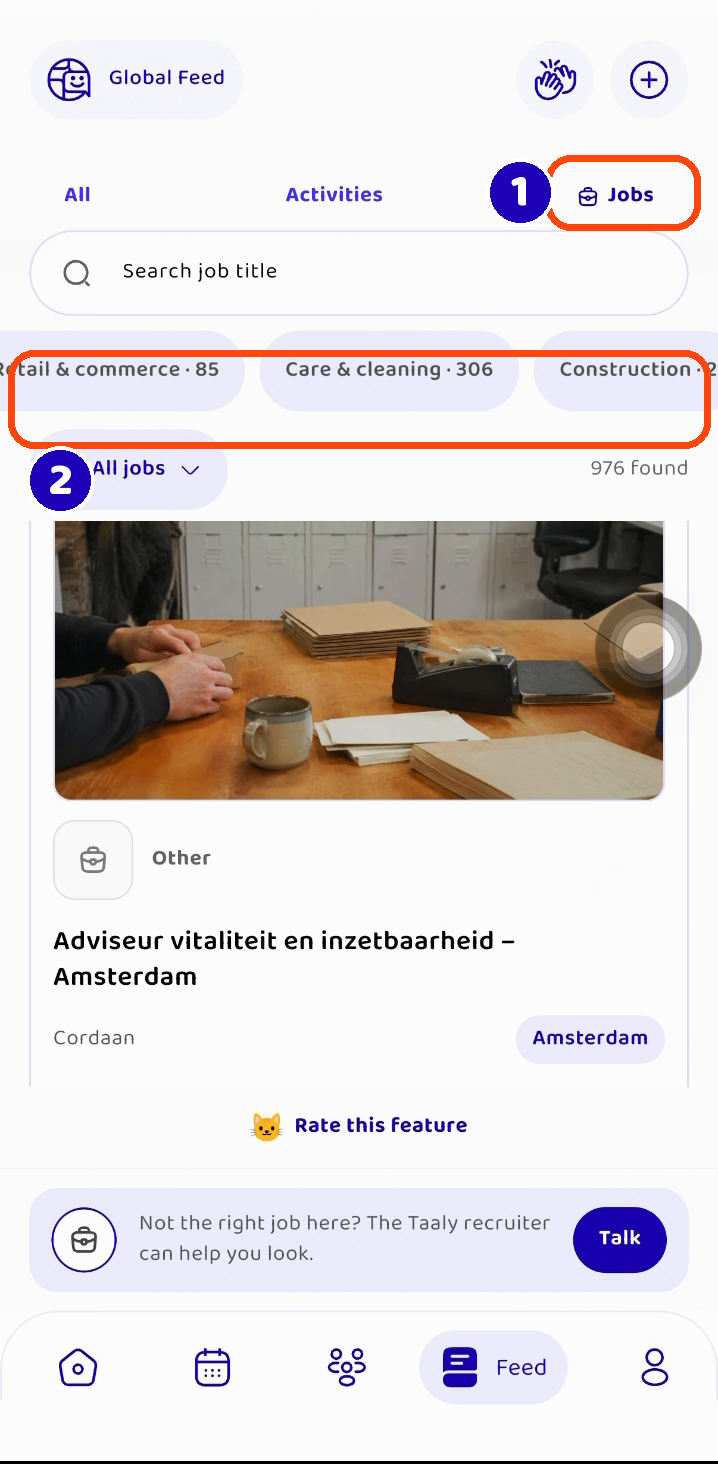
Open the Taaly app and go to the Feed. Tap Jobs at the top (1). You can also find vacancies on the “Jobs nearby” shelf. Use the search bar to look for a job title, or tap a sector like Care & cleaning or Construction (2). Vacancies near you are shown first.
Step 2: open a vacancy
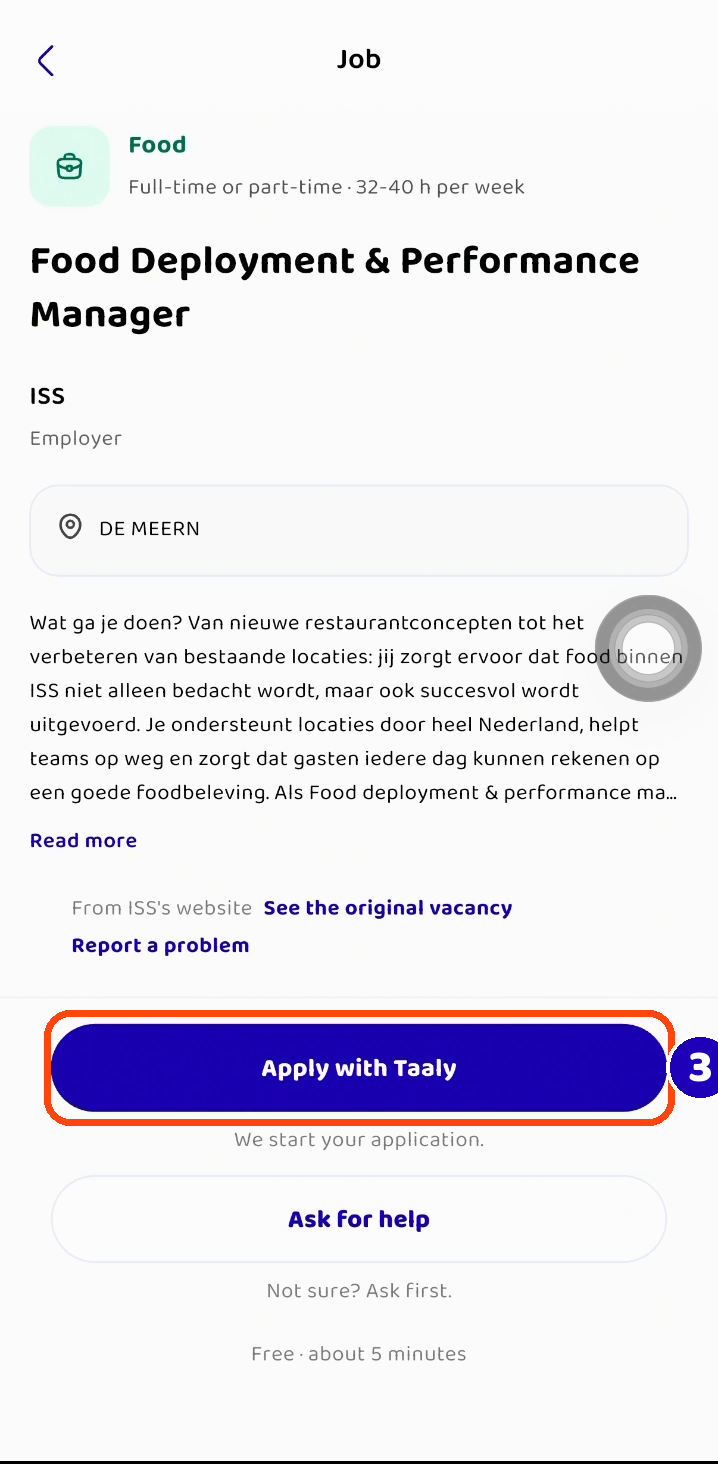
Tap a vacancy to read more: what the work is, where it is and how many hours. Want to read the employer’s own text? Tap “See the original vacancy”. Ready? Tap Apply with Taaly (3). Applying is free and takes about five minutes. Not sure yet? Tap “Ask for help” first.
Step 3: answer the recruiter’s questions
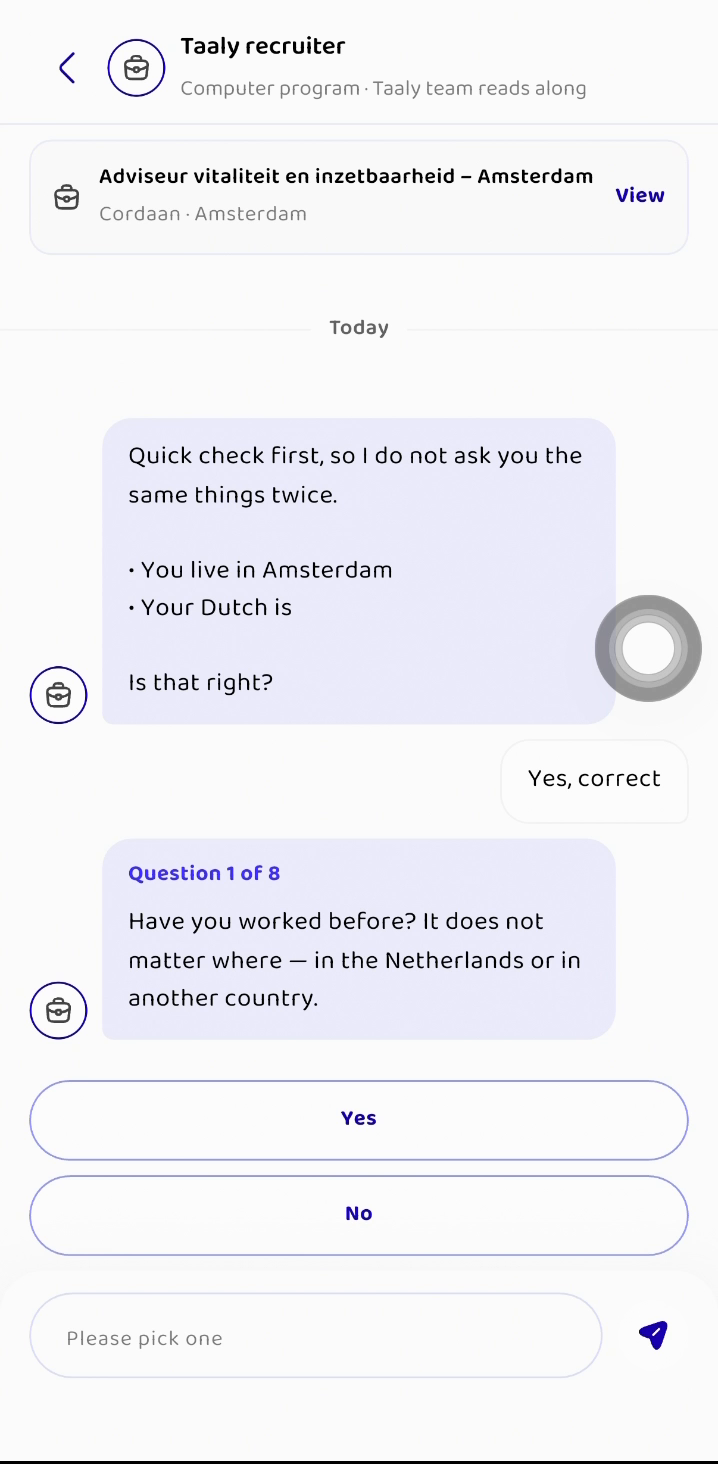
The Taaly recruiter asks a few questions in simple language: your work, your education, when you can start and how you travel. The recruiter is a computer program, and people at Taaly read along. Answer in short sentences, or tap one of the answer buttons. You can stop whenever you want and come back later; your answers are saved.
Good to know: a CV is optional, you can send it as a file or a photo. Never send your passport or ID, and the recruiter never asks for your BSN number.
Step 4: done, a person takes over
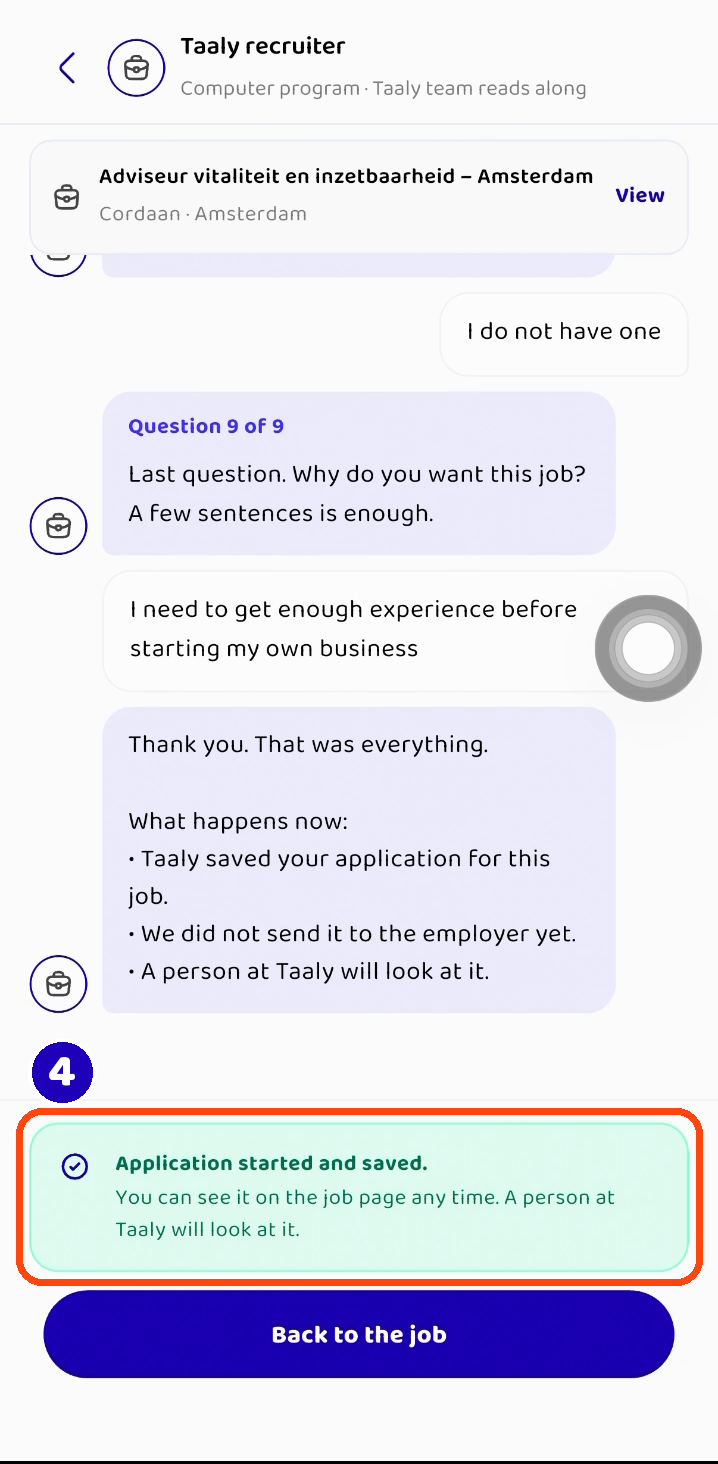
After the last question, Taaly saves your application (4). A person at Taaly reads it and works on it with you. Your application is not sent to the employer yet, and Taaly will not send it without telling you first. You can see your application on the job page any time.
Questions?
Read the Jobs questions and answers, or ask for help in the app. You can also start on WhatsApp: send “Hallo” to +31 6 53988594.