


 EN
EN NL
NL عربي
عربيConsent, profile, person: the five steps of a conversation with the Jobs assistant
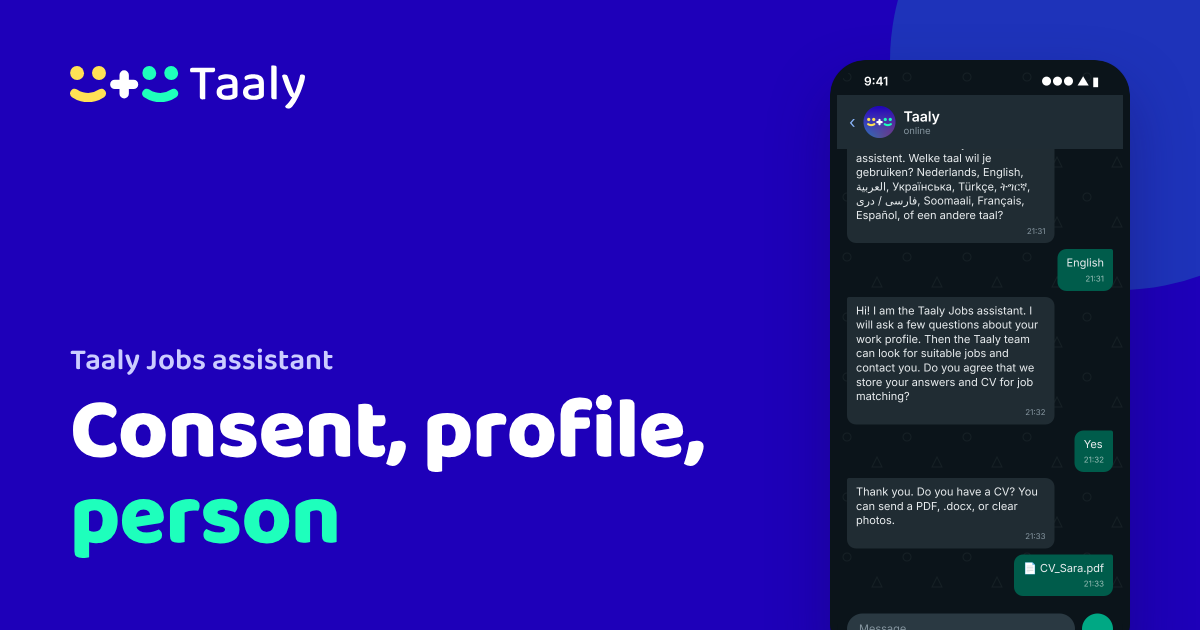
The Taaly Jobs assistant on WhatsApp works in five steps: you pick your language, give consent, tell it about your work, check your profile, and a member of the Taaly team takes over. Your data is stored on Taaly's own infrastructure in the EU, not with WhatsApp or Meta.
Step 1: pick your language
You send a message to +31 6 53988594, for example "Hallo". If you are new, the assistant asks which language you want to use. If you have talked to it before, it replies in the language of your message. You can switch languages at any time.
Step 2: consent first
Before the assistant saves anything, it asks your permission. It explains what it saves and that members of the Taaly team can read the conversation. If you say no, nothing is stored. You can still ask questions about work, for example what you need for a certain occupation.
Consent is not a formality here. People looking for work share information about their residence and their past. So the assistant asks up front, in your own language, not hidden in a long text.
Step 3: your work, your way
If you have a CV, send it as a PDF, Word file or photo. If not, the assistant asks the questions one by one:
- your work experience, in the Netherlands or abroad;
- your education and your Dutch level;
- where you live and how far you can travel;
- how many hours you want to work and when you can start;
- what work you want, and what you do not want;
- whether you have a BSN and a residence permit that allows work.
The assistant never asks for your BSN number, and do not send a passport or ID. It is not needed. The whole conversation takes about five minutes. If you stop halfway, the assistant continues later where you left off. You can also ask it to change an answer.
Why these questions? An employer wants to know whether you can start, how far you can travel and whether you are allowed to work here. The more complete your profile, the better the Taaly team can search. If you do not know an answer, just say so. The assistant moves on, and the Taaly team checks later.
Step 4: check your profile
At the end, the assistant shows your profile. You correct anything that is wrong and confirm. Only then does it go to the Taaly team, so nothing is in your profile that you have not seen yourself.
Step 5: a person takes over
A member of the Taaly team reads your profile and contacts you on WhatsApp or by phone about vacancies that fit. Nothing goes to an employer without your consent. Taaly cannot promise a job, but does promise a real person who helps you with the next steps.
Where your data is stored
The Jobs assistant is not a WhatsApp or Meta AI. It runs on Taaly's own infrastructure in the EU, and your answers and CV are stored there, not with WhatsApp or Meta. We work in line with the GDPR. WhatsApp is only the communication channel: messages are end-to-end encrypted and, according to Meta, Meta itself has no access to their content.
Your answers and CV are kept for 360 days after your last message and then deleted automatically. If you delete your Taaly account, everything is deleted immediately. Used only WhatsApp, without an account? Send a message in the chat saying you want your data deleted, or read how deletion works.
All details and questions are on the Taaly Jobs assistant page.
Frequently asked questions
What happens if I do not give consent?
Then the assistant stores nothing. You can still ask questions about working in the Netherlands.
How long is my data kept?
360 days after your last message, then it is deleted automatically. If you delete your Taaly account, everything is deleted immediately.
Is the Jobs assistant a WhatsApp AI?
No. It runs on Taaly's own infrastructure in the EU. WhatsApp is only the channel, with end-to-end encryption.
Can I change an answer later?
Yes. Ask the assistant to change an answer, or correct it when it shows you your profile.